

Most dealerships are generating more leads than ever. Meta campaigns, Google Ads, website forms, OEM portals, third-party listing sites — the channels keep multiplying. The problem isn’t lead volume. The problem is what happens after the lead arrives.
When every channel delivers leads differently — forwarded emails, platform exports, manual imports — your sales team spends time moving data instead of talking to customers. Response times blow out. Some leads never get followed up at all. And because the data is scattered across multiple places, it’s almost impossible to tell which channels are actually working.
LeadDriver by Indiqator was built to solve that. And now there are two ways to connect every lead source directly into LeadDriver — automatically, in real time, so your team can focus on the conversation, not the admin.
When Lead Sources Are Disconnected, Three Things Break
Response times suffer. The dealerships that win the most deals respond first — not necessarily with the best price. When a lead sits waiting to be manually imported into your system, that window closes fast. By the time your team picks it up, the customer may have already booked a competitor’s test drive.
Reporting becomes unreliable. When your leads live across Facebook, a website form, a spreadsheet, and an email inbox simultaneously, you cannot accurately measure which channels drive the best return. Marketing spend gets harder to justify and harder to optimise.
The customer experience suffers. An enquiry that goes unanswered over a weekend, or is followed up by three different people across three different systems, leaves an impression that’s hard to recover from. A single, timely, well-informed response is what builds confidence.
Connecting every lead source to LeadDriver solves all three. Every lead arrives instantly, is assigned automatically, and sits inside a single audited workflow from the moment it’s created.
Two Paths. One Outcome.
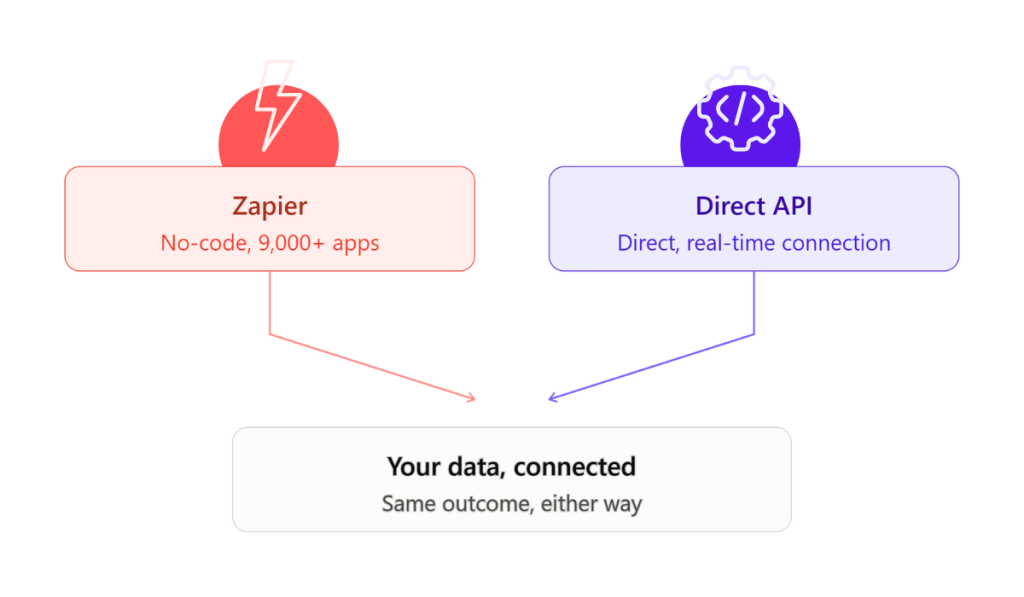
LeadDriver now offers two integration options. The outcome is identical whichever route you take — every lead, from every source, flowing automatically into LeadDriver, assigned to the right person and ready to act on. The path depends on what suits your technical setup and your team.
Path 1: Zapier — No Code, Live in Minutes
LeadDriver’s Zapier integration connects your dealership to more than 9,000 apps without any technical setup. If your lead source is in Zapier’s library — and almost everything is — the connection takes minutes to build and zero effort to maintain.
Facebook Lead Ads, Google Ads lead forms, website enquiry forms, event registrations, OEM portals — every enquiry triggers a Zap that creates a lead in LeadDriver automatically. No manual import. No email parsing. No Monday morning backlog from the weekend.
- 9,000+ app integrations available out of the box
- No technical skill required — if you can use Facebook Ads Manager, you can set this up
- Takes minutes to connect a new lead source
- Leads arrive and are assigned in seconds, around the clock
Zapier is the right choice for the vast majority of dealerships. Fast to set up, reliable, and powerful enough to handle every digital lead source your dealership runs.
Path 2: LeadDriver API — Custom, Real-Time, Built to Your Specs
For OEM partners, technology providers, or dealership groups with their own technical resources, LeadDriver now offers a direct API. The API delivers exactly the same real-time outcome as Zapier — leads flowing instantly into LeadDriver from any source — with full control over how the connection is built.
Your technical team can define custom data mapping, set specific triggers, and build a direct connection between your platform and LeadDriver without relying on a third-party automation tool. It’s the right option when you need something that goes beyond what a standard Zapier workflow can deliver.
- Real-time lead delivery — same speed as Zapier
- Fully custom — built to your exact specifications
- Direct connection between your platform and LeadDriver
- Designed for OEMs, technology partners, and dealer groups with specific integration needs
LeadDriver connects to 9,000+ apps via Zapier — no code required. The API is the second option: a direct, real-time connection for teams who want a closer, more customised path. Same outcome — your leads flowing automatically into LeadDriver — just two ways to get there, depending on what suits your setup.
Zapier vs. LeadDriver API — Which Is Right for You?
| Zapier | LeadDriver API | |
|---|---|---|
| Technical skill required | None — no-code | Developer or technical team |
| Setup time | Minutes | Varies by integration |
| Apps available | 9,000+ via Zapier library | Any platform with API support |
| Customisation | Standard Zapier workflow logic | Fully custom — built to your specs |
| Best for | Most dealerships | OEMs, partners, dealer groups |
| Outcome | Every lead, automatically in LeadDriver | Every lead, automatically in LeadDriver |
What Your Sales Team Actually Sees
Whichever integration path you choose, the experience for your sales team is the same. Every lead lands in LeadDriver automatically, assigned to the right department, with the full context from the originating source intact — campaign name, vehicle interest, customer responses, contact preferences.
Response times improve because there’s no queue. Nothing gets missed because there’s no inbox to check. And your management team gets a complete, accurate view of lead volume, source performance, and follow-up activity — across every channel, in one place.
It’s not about adding another system. It’s about making the leads you’re already paying to generate actually work.
Ready to connect your lead sources? Already a LeadDriver customer? Your Zapier connection is ready to go — takes less than 10 minutes. For the API route, contact us at sales@indiqator.com.au and we’ll walk you through what’s possible.
Isabel Forrest · 10 July 2026
See it on your own numbers
Book a walkthrough and we'll show how Indiqator fits your dealership's journey — from first click to loyal customer.
Talk to our team